Maybe you saw some impressive one-shot games Claude Fable 5 has been producing lately: the one-shot horror game, the HTML-based Minecraft clone, or the Backrooms escape game.
So of course I wanted to run my own test and build a game by myself Claude.
To kick things off, I asked Claude Sonnet 4.6 to write me a detailed prompt for a browser-based train simulator built around the legendary Swiss locomotive SBB Re 420.
The Prompt
Create a fully functional, self-contained browser train simulator for the Swiss SBB Re 4/4 II
(also known as Re 420, Bo'Bo' configuration) — all in a single HTML file using Three.js
(load from CDN). No build tools. No dependencies beyond Three.js and its addons.

## Prototype specs to model accurately:
- Electric locomotive, 15 kV 16⅔ Hz AC catenary
- Bo'Bo' bogie configuration (4 axles, 2 bogies)
- Max speed: 140 km/h
- Power: 4,700 kW
- Length: 15,410 mm over buffers
- SBB "Chromleuchtrot" (signal red) livery, epoch V appearance
- Double-arm pantograph (raised when running), snow plows front/rear
- Cab: analog instruments — speedometer (0–160 km/h), ammeter, line voltage gauge,
  brake pressure gauge, direction switch (Fahrtrichtungsschalter),
  throttle/controller lever (Fahrschalter), brake valve handle (Führerbremsventil)

## Two mandatory view modes (toggle with V key or on-screen button):
1. COCKPIT VIEW: First-person from driver's seat inside the cab
   - Fully modeled instrument panel with all gauges listed above
   - Gauges animate in real time (needle moves with speed, current draw, etc.)
   - Front windshield with slight frame/wiper visible
   - Overhead: pantograph contact wire visible through roof window
   - Ambient cab lighting, SBB logo on dash

2. OUTSIDE / CHASE VIEW: Third-person camera following the locomotive
   - Smooth orbit camera, can be rotated with mouse drag
   - Shows full locomotive exterior: bogies, pantograph, livery markings, buffers
   - Optional free-fly camera with WASD

## Physics & driving mechanics:
- Realistic acceleration curve (not instant) — Re 4/4 II takes ~45s to reach 100 km/h from standstill
- Regenerative braking (Rekuperationsbremse) available above 20 km/h
- Emergency brake (Notbremse) on spacebar — full stop in ~800m at 140 km/h
- Service brake with graduated release (Führerbremsventil simulation)
- Grade simulation: configurable uphill/downhill (use +/- keys) affects power draw and coasting
- Pantograph drops automatically if speed is 0 for > 60s (idle mode)

## Track & environment:
- Procedurally generated Swiss-style track stretching infinitely forward
- Alternating: mountain tunnel sections, open alpine valley, viaduct over gorge
- Swiss-style signals: Hauptsignal (Hp0/Hp1/Hp2), pre-signals (Vr)
- Catenary wire with masts every ~60m, rendered in 3D
- Swiss alpine scenery: mountains, fir trees, stone walls, SBB-style station buildings
  (appear every ~2km, with platform, name board e.g. "Göschenen", "Airolo", "Erstfeld")
- Weather toggle (W key): clear / overcast / rain / snow
- Day/night cycle (N key): changes lighting and cab interior illumination

## Controls (show HUD overlay):
- Arrow Up / W: Increase throttle (Fahrschalter step up)
- Arrow Down / S: Decrease throttle / apply service brake
- Spacebar: Emergency brake
- V: Toggle cockpit ↔ outside view
- P: Toggle pantograph up/down
- H: Horn (play short synthesized two-tone Swiss loco horn)
- L: Cab lights on/off
- +/-: Grade incline adjustment
- W: Weather cycle
- N: Night mode toggle
- R: Reset to standstill at nearest station

## HUD (always visible):
- Digital speed display (km/h) in SBB orange
- Current throttle notch (1–32, matching Re 4/4 II controller steps)
- Line voltage indicator (15 kV nominal)
- Brake pipe pressure bar
- Current gradient (‰)
- Next signal aspect
- Current station / distance to next

## Sound (Web Audio API, synthesized — no external files):
- Electric motor hum that scales with speed and load
- Pantograph wind noise above 80 km/h
- Wheel-on-rail rhythm (clickety-clack, faster with speed)
- Brake squeal on hard braking
- Two-tone horn

## Code quality:
- All in one HTML file, < 2000 lines preferred
- requestAnimationFrame game loop
- delta-time physics
- Clear section comments
- Must run in modern Chrome/Firefox without any server — just open the file

Make the locomotive look unmistakably like the SBB Re 4/4 II: the iconic boxy red cab,
the large rectangular headlights, the roof-mounted resistors/ventilators, the SBB
coat of arms on the side. This should feel like a love letter to Swiss railways.
The Result
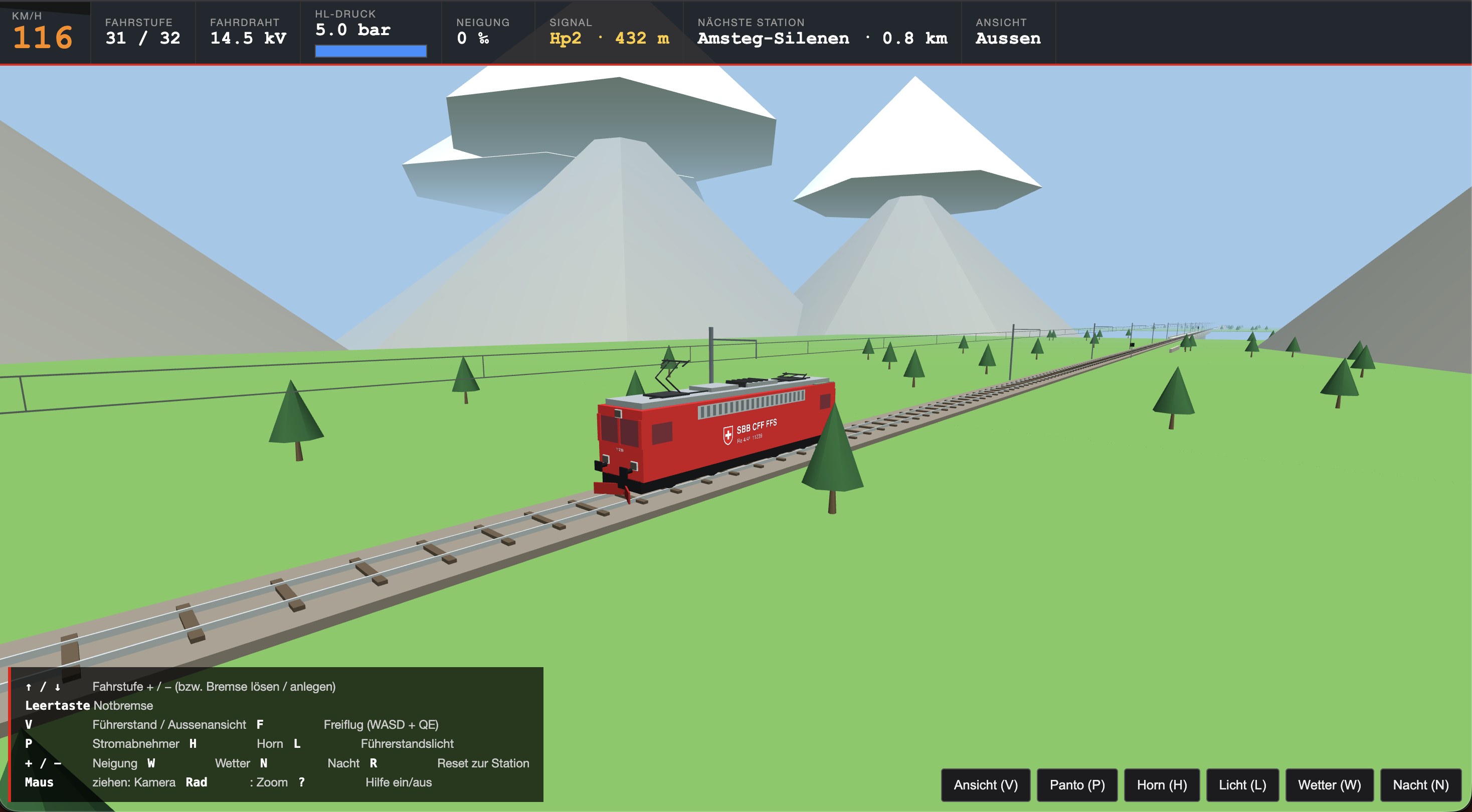
A few minutes later I had something that, let’s say, was surprisingly playable. Physics worked. Sound worked. But it didn’t deliver on the visuals. The locomotive looked blocky and generic, nothing close to the real thing.
The Iteration
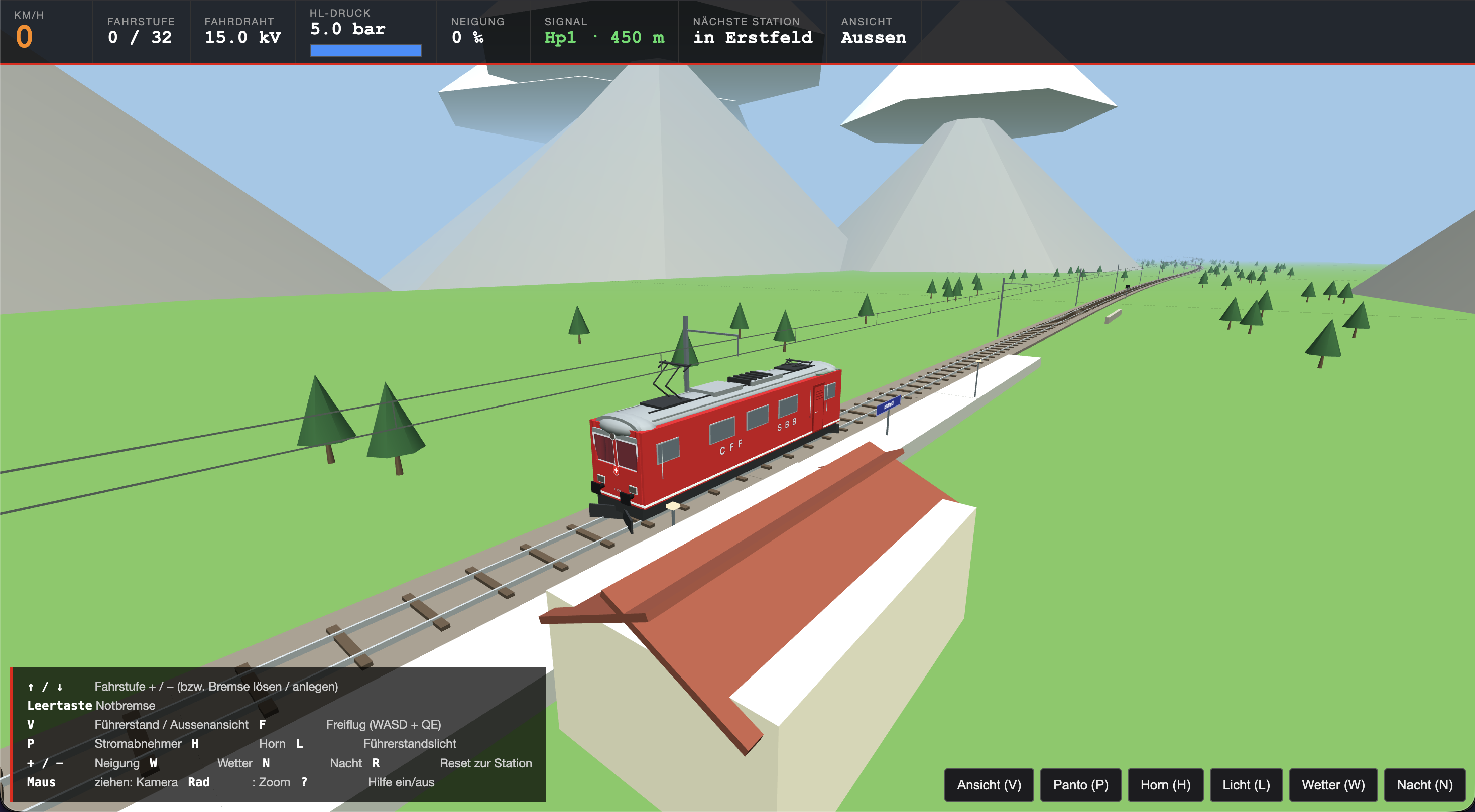
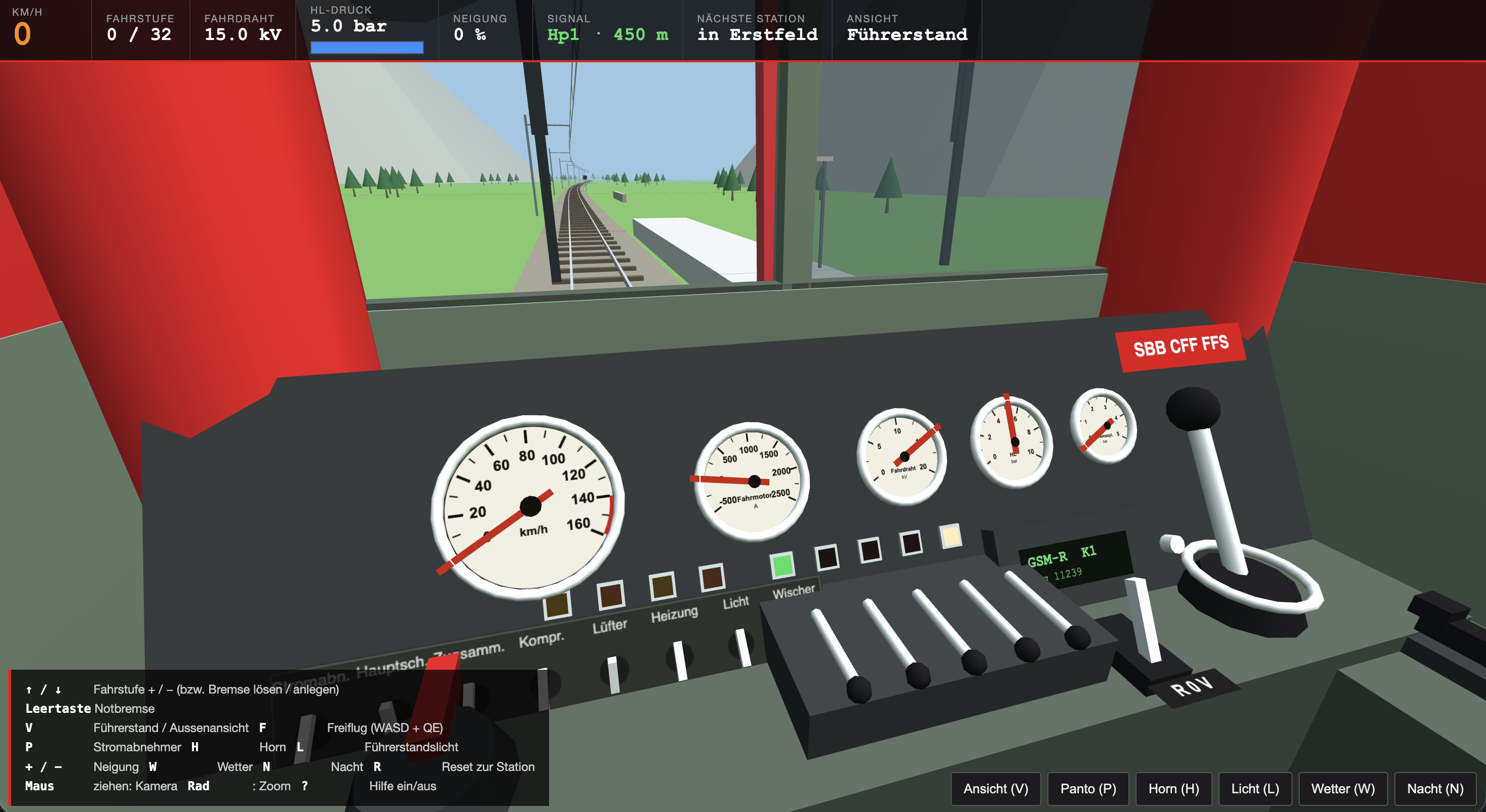
For the second pass I gave Claude more to work with: better instructions and a pile of photos of the locomotive and the cab with all the controls, hoping at least the look would improve. I knew I’d burned through the free tier at that point, so I’d be paying. Worth it for the test.
It wasn’t a clean win. The tunnel geometry was broken, so the hills disappeared. Curves showed up. The locomotive still looked off. Some of the controls from the photos made it in, but nothing close to what I’d shown it. That iteration ran about $6 USD.
The Verdict
I decided it wasn’t worth pushing further.
There’s something genuinely impressive about getting a playable game with physics, sound, a day/night cycle, and weather from a single prompt. But I’d seen what the other examples looked like, and this was rougher than I expected.
My best guess: prompting matters, but training data matters more. There are far more browser-based Minecraft and Mario clones in the wild than halfway-decent train simulators, especially ones modeled on a specific Swiss locomotive. The model doesn’t have much to draw from. I added photos and it still struggled.
I’m not a game developer. I don’t know game physics. Judged against that baseline, this is fine. But it is by far no eye candy.
Feel free to try out the game: https://ai.hauri.dev/train-sim/